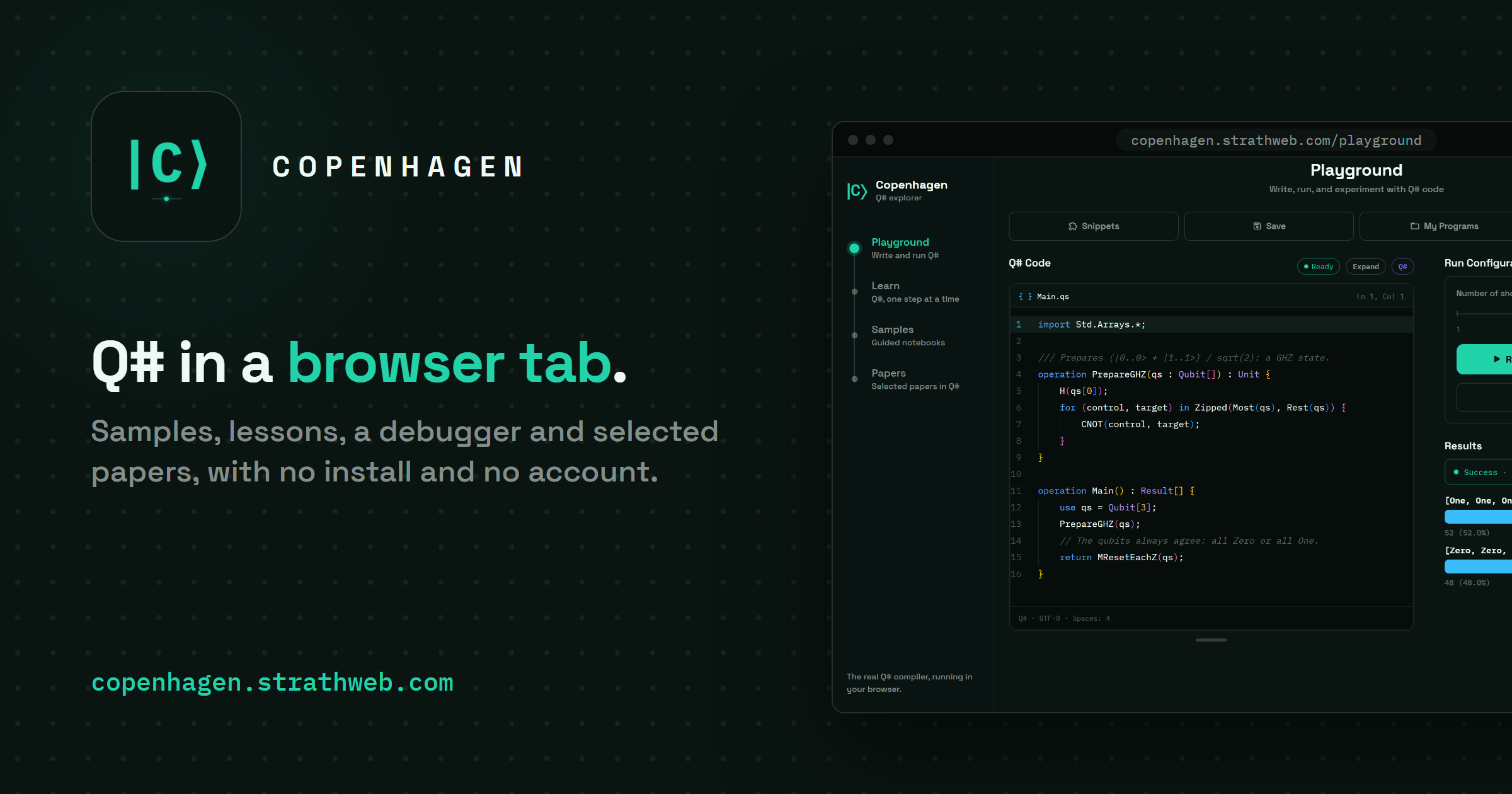
For the past several months I have been working, mostly in the evenings, on an application which collects in one place the various things I would have wanted to have at hand when I first started writing Q#. It is called Copenhagen, it is available at copenhagen.strathweb.com, and it is, in the simplest possible terms, a Q# explorer. It has a playground with an editor and a debugger, a set of guided notebooks, a course of short lessons with exercises that check the learner’s code, and a section in which recent quant-ph papers are reproduced in Q#, at least to the extent that is possible on a laptop or a phone.
Everything runs locally. The Q# compiler and simulator are the official ones from the QDK, compiled to WebAssembly, so there is no server executing the programs, nothing to install and no account to create, and after the first visit the whole application works offline as well.
Q# Compiler in the Browser 🔗
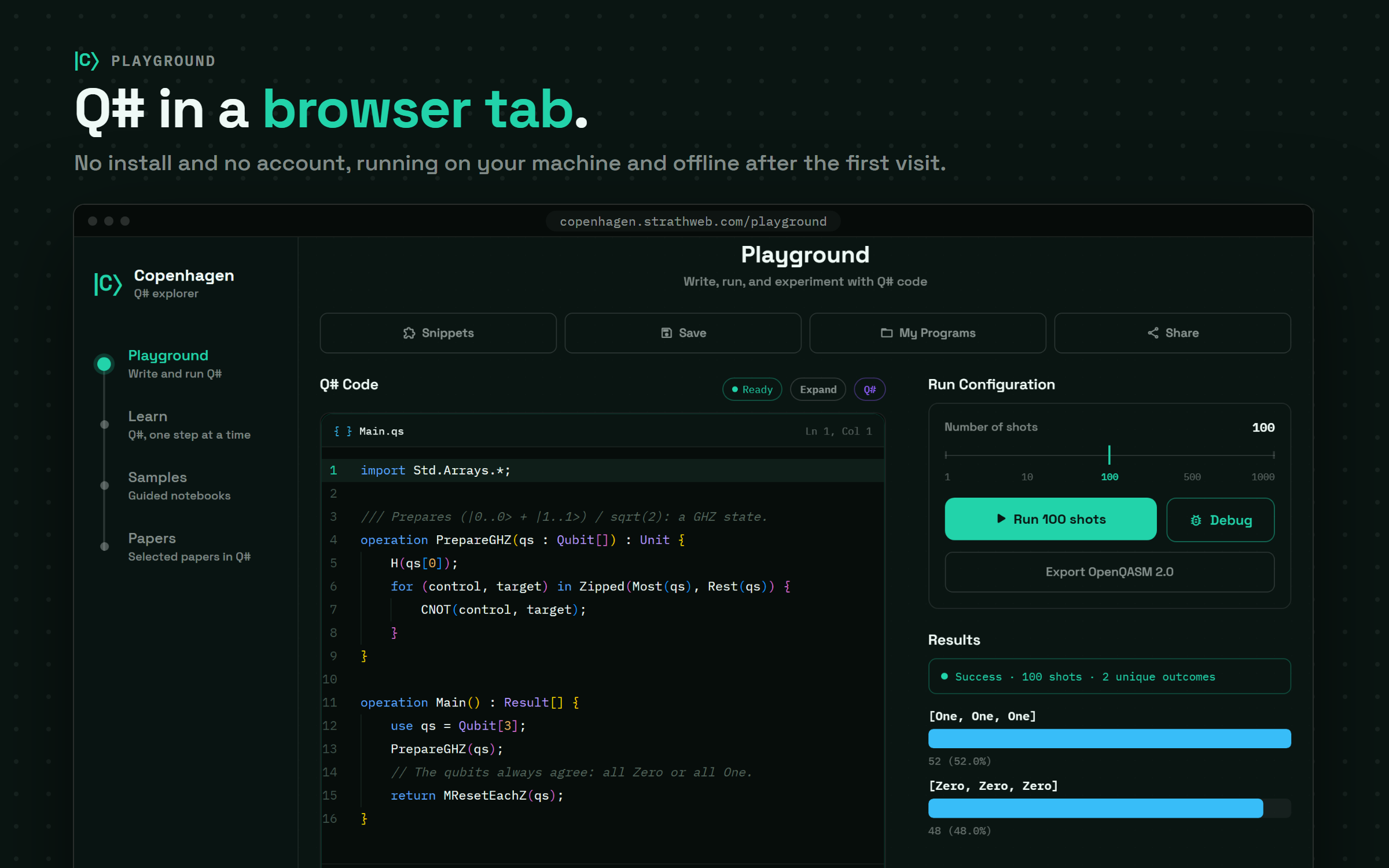
The Playground is the simplest part of the application and the one that everything else builds upon. It is a Monaco editor with Q# language support, a run configuration where we choose the number of shots, and a results panel with a histogram. Programs can be saved locally, shared as a link (the code travels inside the link itself, since there is no backend to store it) and exported as OpenQASM 2.0. Under the hood the editor and the simulator are the qsharp-lang package, version 1.26.1 at the time of writing, which is the same compiler that powers the QDK extension for VS Code, so the diagnostics, the hover information and, of course, the behaviour of the programs are exactly what we would get there.
The application is written in React Native, and the web version is the same source tree built with Vite and react-native-web. This was a deliberate choice, since it means that the screens, the samples and the papers are shared between the browser and a native iOS version of the application, which is built from the same code.
A Debugger for Q# 🔗
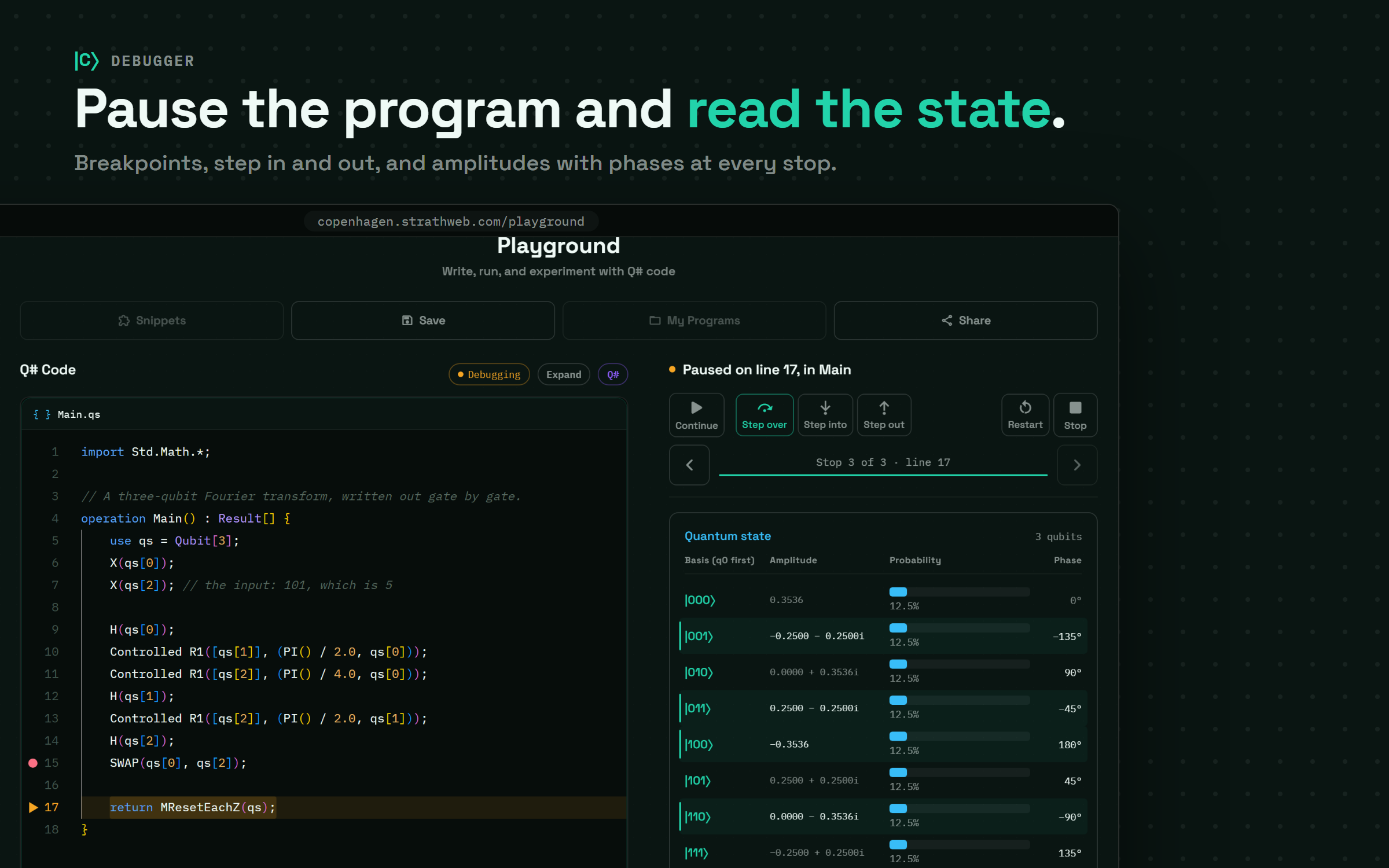
What I personally missed the most when teaching Q# was the ability to stop a program in the middle and look at the quantum state. The Playground therefore has a debugger, built on the debugging support that the QDK exposes for VS Code. It supports stepping over, into and out of operations (F10, F11 and Shift+F11), breakpoints set by clicking in the gutter, and at every stop it shows the state vector (its 64 most probable basis states, for larger registers), the classical variables in scope, the output printed so far and the circuit executed up to that point, with whatever changed at the current step highlighted.
Let us consider a very small example. The following program rotates a single qubit about the $y$ axis by $2\pi/3$, applies the $S$ gate and measures:
import Std.Math.PI;

operation Main() : Result {
    use q = Qubit();
    Ry(2.0 * PI() / 3.0, q);
    S(q);
    MResetZ(q)
}
If we step over the Ry line, the state panel shows the state
$$ R_y(2\pi/3)|0\rangle = \cos(\pi/3)|0\rangle + \sin(\pi/3)|1\rangle \approx 0.5|0\rangle + 0.866|1\rangle, $$
that is, a 25% probability of measuring $|0\rangle$ and 75% of measuring $|1\rangle$, with both phases at 0°. Stepping over the S line multiplies the amplitude of $|1\rangle$ by $i$, so the panel now shows $0.0000 + 0.8660i$ for $|1\rangle$ and a phase of 90° in its row, while the probability bars do not move at all. This is, in a way, the whole difficulty of building intuition for quantum programs in one small example, since the statistics of a measurement in the computational basis would tell us that the S gate did nothing (measured in the $X$ basis instead, the qubit would give $+$ about 93% of the time before the S gate and 50% after it). For a single qubit the panel can also show the state as a point on the Bloch sphere instead of a table, and there the effect of the S gate is immediately visible, as the point at polar angle 120° is rotated by 90° about the $z$ axis.
It is worth stressing that this view is a privilege of the simulator. On a real quantum device there is no such thing as reading the state vector in the middle of a program, since the only access we have to the state is through measurement, which in general disturbs it, and the no-cloning theorem forbids us from making a spare copy to inspect. The best a device can offer is to rerun the program many times and reconstruct the state by tomography, at a cost that grows exponentially with the number of qubits, and even then the global phase that the debugger shows is beyond the reach of any experiment. The debugger is therefore a teaching and development tool for simulated programs, and not a window into what a quantum computer “really does”.
Samples as Notebooks 🔗
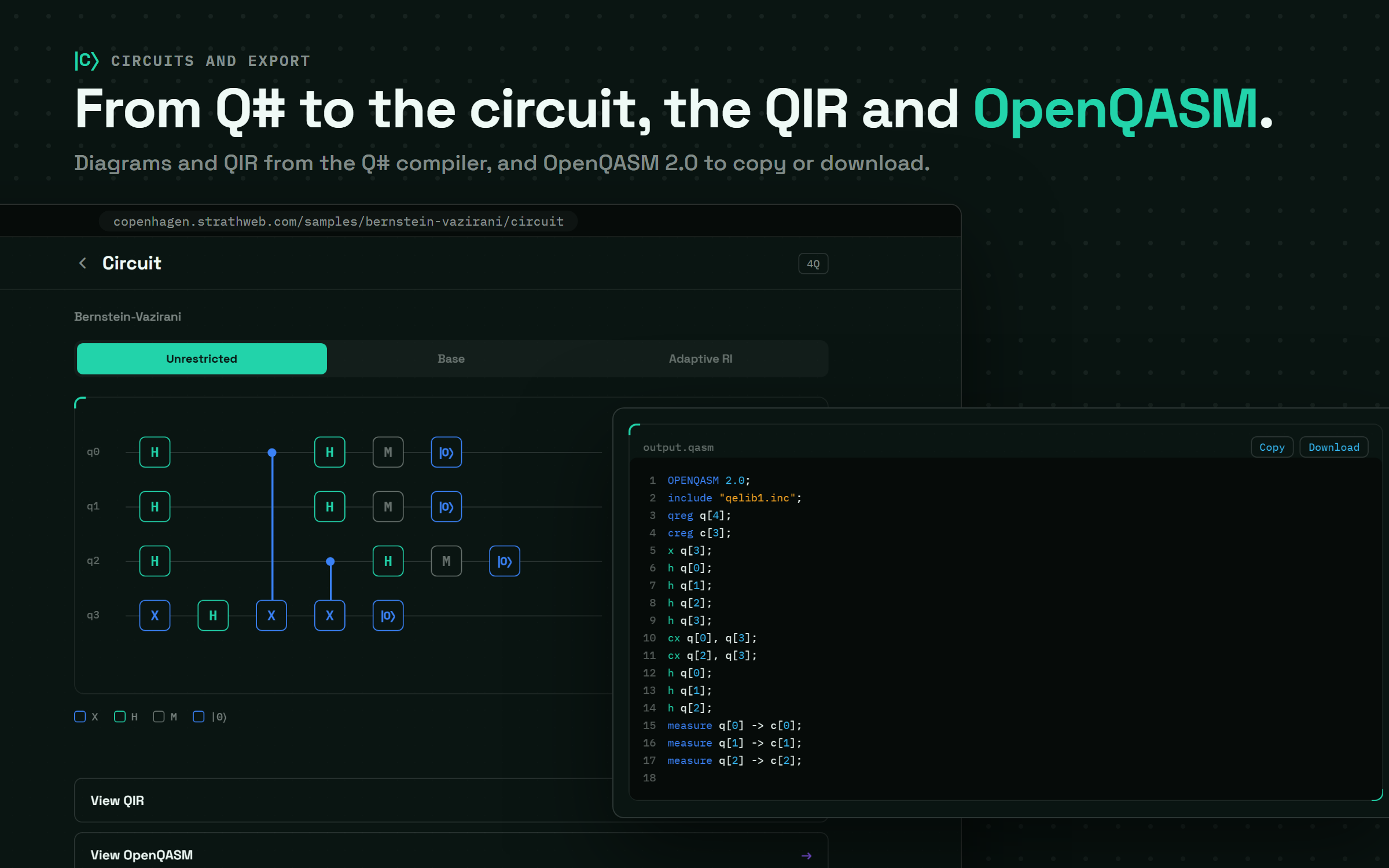
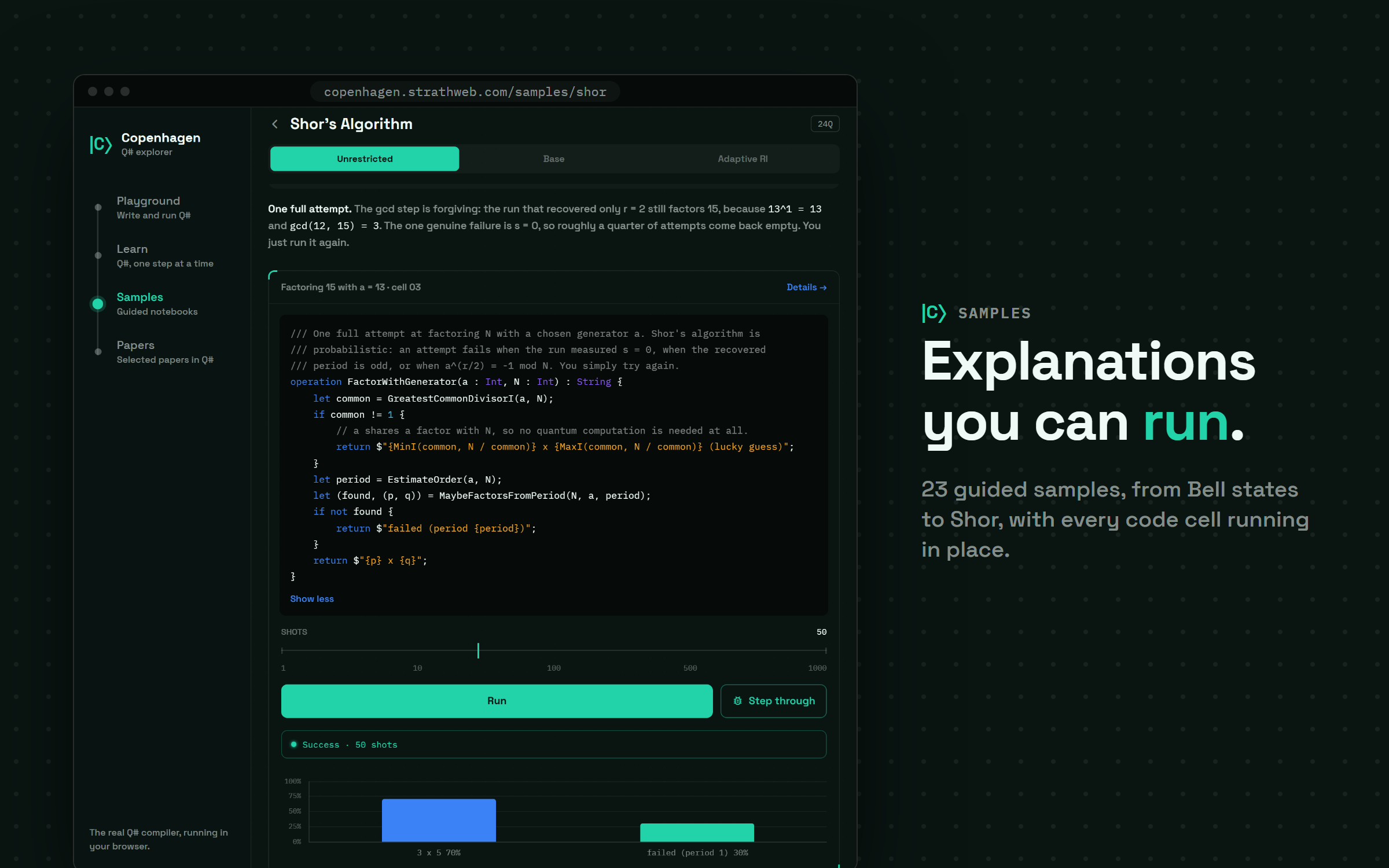
The Samples section contains 23 guided notebooks, ranging from a quantum random number generator and the Bell states, through teleportation, superdense coding, BB84 and the Elitzur-Vaidman bomb tester, to the quantum Fourier transform, phase estimation, Grover’s search and Shor’s algorithm. Nineteen of them are based on the code accompanying my book Introduction to Quantum Computing with Q# and QDK, and the remaining four come from my qsharp-examples repository. Each notebook interleaves prose with Q# cells, every cell can be run with a chosen number of shots or stepped through in the debugger, and the program behind the notebook can be rendered as a circuit and inspected as QIR or OpenQASM.
The CHSH notebook is a good example of what this looks like in practice. Each of its four cells measures the same Bell pair under one combination of measurement settings, and the correlation for that combination can be read directly off the histogram of $+$ and $-$ outcomes. Three of the four correlations come out at about $-0.71$ and one at about $+0.71$, and since the odd one out enters the CHSH value $S = |E_{11} + E_{12}| + |E_{21} - E_{22}|$ with a minus sign, $S$ comes out at roughly $2\sqrt{2} \approx 2.83$ (with the usual statistical scatter of two hundred shots per cell, about 0.1 in $S$), comfortably above the bound of 2 that any local hidden variable theory has to respect.
Learning Q# - One Step at a Time 🔗
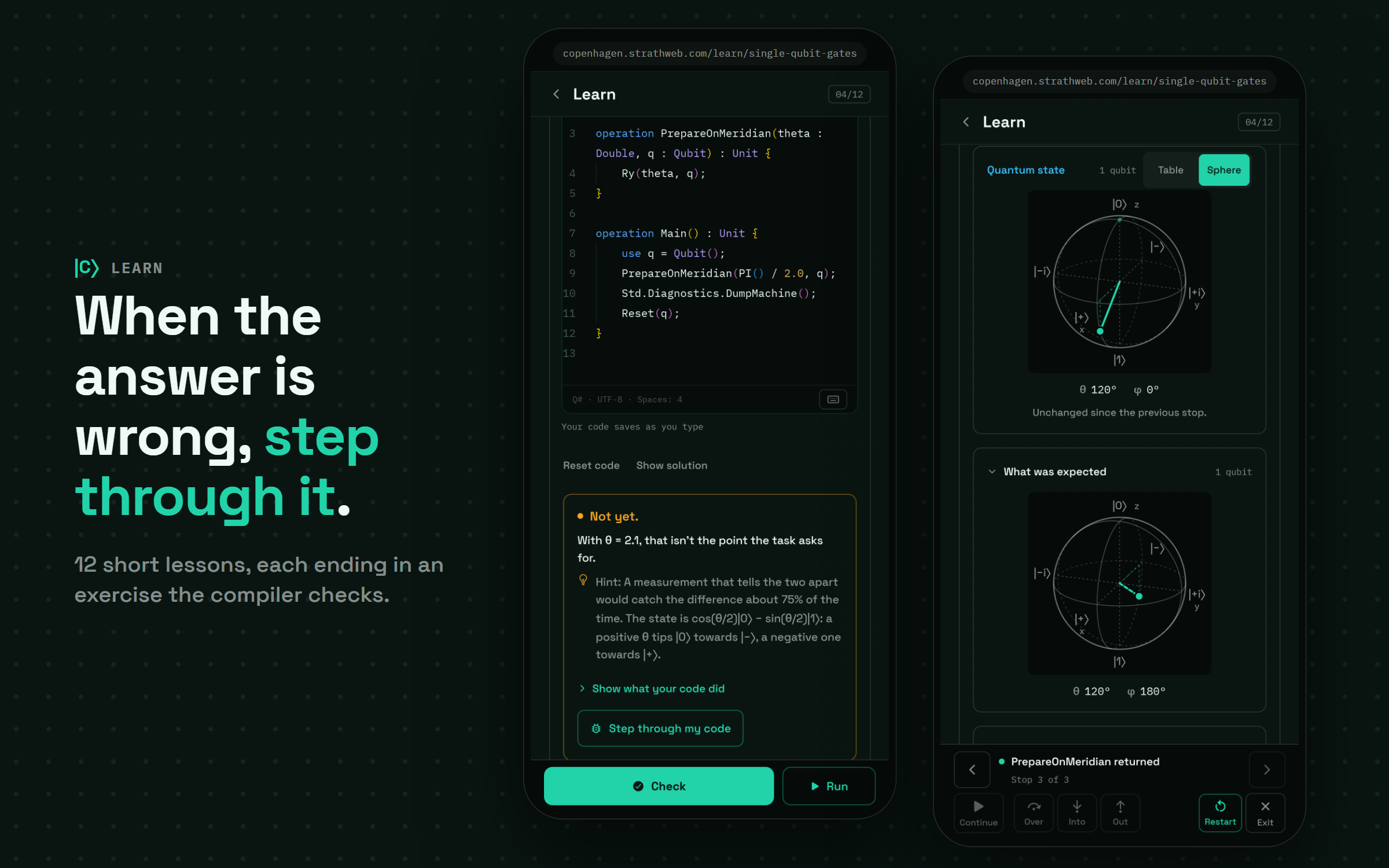
The Learn section is a short course of twelve lessons, from writing the first Q# program, through values and types, qubits, single-qubit gates, measurement, phase, many qubits and entanglement, to the Adjoint and Controlled functors, the within/apply construct, oracles and measuring in bases other than the computational one. Every lesson ends with an exercise, in which the learner implements an operation in a small editor and presses Check. The check is itself written in Q# and runs the learner’s operation against a set of inputs, and when the answer is wrong, it reports the first input for which it fails together with a hint, rather than a bare “incorrect”.
For such failed check there is one more option, called Step through my code. It starts the debugger on the learner’s own operation, with exactly the input that failed, and stops once the operation has finished, so that the state it actually produced can be compared, amplitude by amplitude (or on the Bloch sphere, for the single-qubit lessons), with the state it should have produced. In my experience, this turns “my code is wrong” into “my code applies the rotation in the wrong direction” much faster than reading the code again ever does. The progress through the lessons is stored only in the browser, and the Learn section is, for now, available only in the web version of the application.
Papers - Reproduced in Q# 🔗
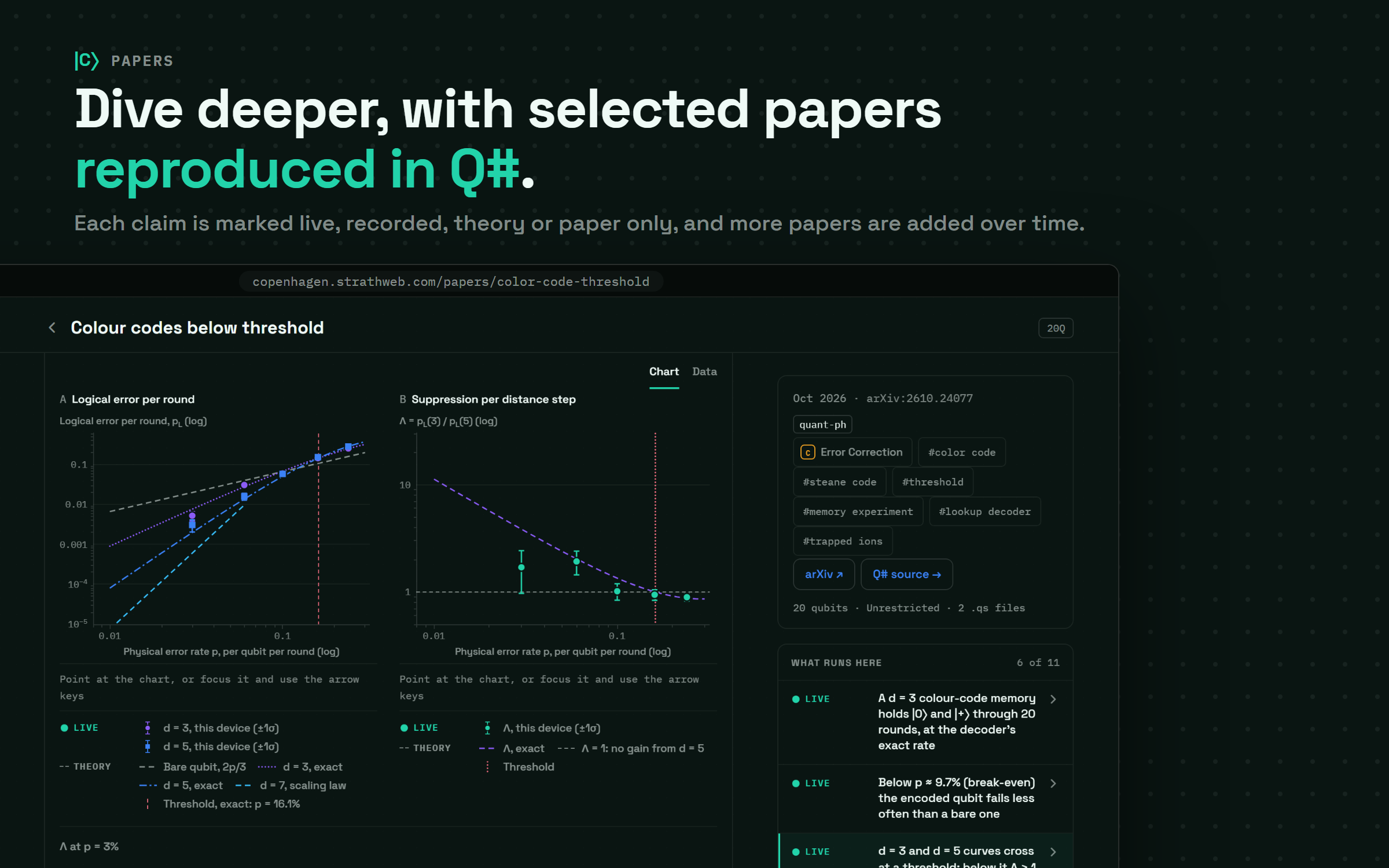
The part of the application I am the most excited about is the Papers section. Over the past months I have written here about several recent papers, implementing their protocols in Q# and running them on the QDK simulators (composite qDRIFT and cloning of stabilizer states among them), and the natural next step was to make such reproductions something that the reader can run, modify and explore directly. The section currently contains eight papers, among others the colour code experiment of Lavasani, Reed, Dreiling and collaborators, the optimal ordered search algorithm of Carolan and Childs, Google’s quantum echoes (OTOC) experiment and Broadbent and Islam’s quantum encryption with certified deletion.
The difficulty is that a typical paper is a Q# kernel surrounded by a considerable amount of classical work, and some of that work (a million shots, a sweep over hundreds of configurations, a stabilizer simulation of up to 512 qubits) is simply out of reach for a phone. Each paper therefore states honestly, at the top, which of its claims are reproduced live on the device when the reader presses Run, which are recorded, either from a run of a Python pipeline (published in the qsharp-examples repository and shipped with the application as data) or, for the hardware results, quoted from the paper itself, which follow from an exact theory result, and which remain paper only, typically because they concern the physical experiment itself.
The weak values paper by McGowan, Mantella, Baker and Steinberg, Measuring the spin of a spin-1/2 and getting a result of 7, is a nice example. In 1988 Aharonov, Albert and Vaidman showed that a sufficiently gentle measurement, followed by a post-selection on a final state $|f\rangle$ nearly orthogonal to the initial state $|i\rangle$, can move the measurement pointer, on average, much further than any eigenvalue would. For the initial state $|+x\rangle$ and a final state tilted from $|-x\rangle$ by a small angle $\delta$, the weak value of $\sigma_z$ is
$$ \langle \sigma_z \rangle_w = \frac{\langle f|\sigma_z|i\rangle}{\langle f|i\rangle} = \cot(\delta/2), $$
and since the spin component is $S_z = \sigma_z/2$, a reading of 7 requires, in the weak limit, $\cot(\delta/2) = 14$, that is $\delta = 2\arctan(1/14) \approx 0.1426$, at which only about 0.5% of the runs survive the post-selection. In the application, this experiment runs live on seven qubits, one for the spin and six for the momentum of the atom on a 64-point grid, while a million-shot estimate of the spin component (6.76 ± 0.35, against the paper’s own 7(3)) is shown from a recorded run, and the Bose-Einstein condensate itself is, quite understandably, marked as paper only.
On a Phone 🔗
Since the application was written as a React Native app from the very beginning, the web version adapts to narrow screens as well, with a tab bar instead of the side rail, and the editor, the debugger and the lessons all work on a phone (the two screens of the Learn section shown earlier were, in fact, taken at phone width). The simulator is, of course, limited by the speed and the memory of the device, and the papers keep their live experiments to around twenty qubits at most, so that each one finishes within seconds on a phone.
Final Thoughts 🔗
Copenhagen is available at copenhagen.strathweb.com and requires nothing more than a reasonably modern browser. I intend to keep adding papers to it, in particular the ones I write about on this blog, so that each future post about a paper can come with a version of the experiment that the reader can run, modify and step through directly. If something does not work as expected, or if there is a paper that would be a good fit for the application, I would be very happy to hear about it.